
Quick Answer
When comparing CC or CC’d, the difference comes down to grammar and timing. CC is used when referring to the action or feature itself, while CC’d is used when describing someone who has already been included in an email. Understanding this distinction helps improve professional communication and email etiquette.
Email has become one of the most important communication tools in business, education, and everyday life. Because of this, terms such as CC, BCC, reply all, forwarding, and email chains are used constantly. Among these terms, many people become confused when deciding whether to use CC or CC’d.
The confusion usually happens because both terms are related to the same email function. However, they are not interchangeable in every sentence. One refers to the action or feature, while the other refers to a completed action.
Understanding CC or CC’d is important for students, office workers, business owners, managers, freelancers, and anyone who sends emails regularly. Using the correct term improves professionalism, avoids misunderstandings, and helps maintain proper business communication standards.
This guide explains CC or CC’d in simple language. You will learn definitions, grammar rules, email etiquette, examples, common mistakes, professional applications, exercises, FAQs, and much more.
Quick Overview
CC stands for carbon copy.
CC is used when adding someone to an email.
CC’d means someone has already been included in a carbon copy.
CC refers to the action or feature.
CC’d refers to a completed action.
Both terms are correct when used properly.
What Does CC Mean
CC stands for carbon copy.
In email communication, CC allows a sender to send a copy of an email to additional recipients.
These recipients can view the message, but they are not necessarily the main recipients.
Example
I will CC the manager on this email.
In this sentence, CC refers to the action of adding someone to the carbon copy field.
Common Uses of CC
- Informing managers
- Keeping team members updated
- Sharing information
- Maintaining transparency
- Including stakeholders
What Does CC’d Mean
CC’d is the past tense form of CC.
It means someone was included in a carbon copy.
Example
The manager was CC’d on the email.
This means the manager received a copy of the email.
More Examples
- Sarah was CC’d in the discussion.
- The client was CC’d on all updates.
- Our supervisor was CC’d yesterday.
In each example, the action has already happened.
Key Difference Between CC or CC’d
The primary difference is grammatical usage.
CC refers to an action that is happening or will happen.
CC’d refers to an action that already happened.
Quick Comparison Table
| Feature | CC | CC’d |
|---|---|---|
| Meaning | Carbon copy | Was carbon copied |
| Grammar Type | Noun or verb | Past tense verb |
| Time Reference | Present or future | Past |
| Email Usage | Adding recipients | Recipients already added |
| Professional Use | Yes | Yes |
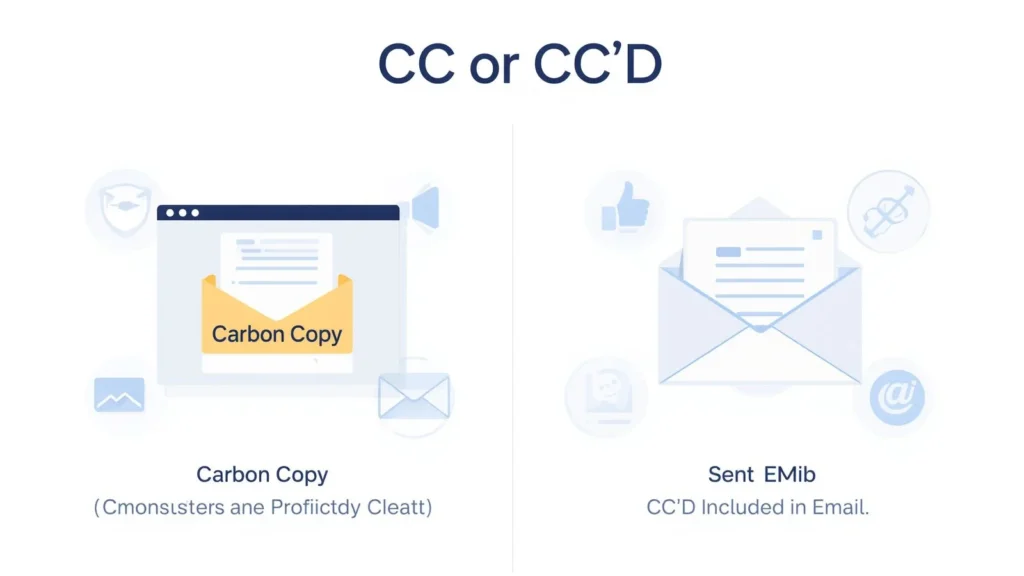
Visual Comparison of CC or CC’d


This comparison shows that CC refers to adding recipients, while CC’d refers to recipients who have already been included.
History of Carbon Copy
Before email existed, businesses used carbon paper.
Carbon paper created duplicate copies of documents during typing.
One copy went to the main recipient.
Additional copies went to other individuals.
These extra copies became known as carbon copies.
When email systems were developed, the term CC was adopted from this older business practice.
Although physical carbon paper is rarely used today, the term remains common in digital communication.
How CC Works in Email
The CC field allows additional recipients to receive a copy of an email.
Everyone included can see:
- The sender
- The primary recipient
- All CC recipients
This creates transparency among participants.
Example
A project manager emails a team leader.
The manager also CCs the company director.
Both recipients can see each other.
How CC’d Is Used in Business Communication
CC’d often appears in workplace conversations.
Examples include:
- I CC’d the manager yesterday.
- The finance department was CC’d.
- Everyone was CC’d on the project update.
These examples indicate that the carbon copy action already occurred.
Common Situations Where CC Is Used
Team Communication
Managers often CC team members.
Project Updates
Stakeholders are frequently CC’d on progress reports.
Client Communication
Businesses use CC to keep clients informed.
Educational Settings
Teachers may CC parents or administrators.
Legal Documentation
Lawyers often CC multiple parties.
Email Structure and the CC Field


5
Modern email systems contain several recipient fields.
To Field
Primary recipient.
CC Field
Secondary visible recipients.
BCC Field
Hidden recipients.
Understanding these fields improves email management.
CC vs BCC
Many people confuse CC and BCC.
CC
Recipients are visible.
BCC
Recipients are hidden.
Comparison Table
| Feature | CC | BCC |
|---|---|---|
| Visibility | Visible | Hidden |
| Transparency | High | Low |
| Common Usage | Team communication | Mass emails |
| Recipient Awareness | Yes | No |
Benefits of Using CC
Using CC correctly provides several advantages.
Better Communication
Everyone stays informed.
Increased Transparency
Recipients know who received the message.
Improved Accountability
Team members can track discussions.
Efficient Collaboration
Information flows more smoothly.
Potential Drawbacks of Overusing CC
Although useful, excessive CC usage can create problems.
Inbox Overload
Too many emails can overwhelm recipients.
Information Fatigue
People may ignore important messages.
Reduced Productivity
Unnecessary emails waste time.
Communication Confusion
Recipients may not know who should respond.
Professional Email Etiquette
Proper email etiquette is essential.
Use CC Sparingly
Only include relevant recipients.
Avoid Excessive Recipients
Do not copy everyone unnecessarily.
Respect Privacy
Use BCC when privacy matters.
Review Before Sending
Verify recipient lists carefully.
Common Workplace Examples
Example One
I will CC the director on this proposal.
Correct because the action is about to happen.
Example Two
The director was CC’d on the proposal.
Correct because the action already happened.
Example Three
Our legal team was CC’d during negotiations.
Correct use of the past tense form.
Common Mistakes With CC or CC’d
Mistake One
Using CC’d for future actions.
Incorrect:
I CC’d the manager tomorrow.
Correct:
I will CC the manager tomorrow.
Mistake Two
Using CC for completed actions.
Incorrect:
The director CC on the email yesterday.
Correct:
The director was CC’d on the email yesterday.
Mistake Three
Confusing CC and BCC.
Correction:
CC is visible while BCC is hidden.
Visual Guide to Professional Email Communication


4
Professional communication becomes more effective when CC and CC’d are used correctly.
Related Email Concepts
Understanding related email terms helps build stronger communication skills.
Reply
Responding to an email.
Reply All
Responding to everyone.
Forward
Sending an existing email to another recipient.
Attachment
A file sent with an email.
BCC
Blind carbon copy.
Beginner to Advanced Understanding
Beginner Level
CC means carbon copy.
CC’d means already carbon copied.
Intermediate Level
CC is used when adding recipients.
CC’d is used when discussing completed actions.
Advanced Level
Professional communication requires strategic use of CC, BCC, recipient management, and email etiquette.
Regional and Global Usage
CC and CC’d are used globally.
Common regions include:
- United States
- United Kingdom
- Canada
- Australia
- India
- Pakistan
- South Africa
The meaning remains consistent across English speaking countries.
CC in Modern Digital Platforms
Although originally associated with email, CC terminology now appears in:
- Project management software
- Workplace collaboration tools
- Customer relationship systems
- Team messaging platforms
The concept remains the same: keeping additional people informed.
Exercises With Answers
Question One
What does CC stand for?
Answer: Carbon copy.
Question Two
What does CC’d mean?
Answer: Someone was included in a carbon copy.
Question Three
Which term refers to a completed action?
Answer: CC’d.
Question Four
Which term refers to adding recipients?
Answer: CC.
Question Five
Are CC recipients visible?
Answer: Yes.
Question Six
Are BCC recipients visible?
Answer: No.
Question Seven
Choose the correct sentence.
I will CC the manager.
Answer: Correct.
Question Eight
Choose the correct sentence.
The manager was CC’d yesterday.
Answer: Correct.
Question Nine
Can CC be used as a verb?
Answer: Yes.
Question Ten
Should unnecessary recipients be CC’d?
Answer: No.
FAQs
Is CC or CC’d correct?
Both are correct but used in different situations.
What does CC mean in email?
CC means carbon copy and allows additional recipients to receive an email.
What does CC’d mean?
CC’d means someone was included in a carbon copy.
When should I use CC?
Use CC when adding someone to an email.
When should I use CC’d?
Use CC’d when describing a completed action.
Is CC the same as BCC?
No. CC recipients are visible while BCC recipients are hidden.
Can I use CC in professional emails?
Yes. It is widely used in business communication.
Can CC’d be used in formal writing?
Yes. It is common in workplace communication.
Should managers be CC’d on every email?
Only when relevant to the discussion.
Why is understanding CC or CC’d important?
It improves communication, professionalism, and email etiquette.
Conclusion
Understanding CC or CC’d is essential for professional and personal communication. CC stands for carbon copy and is used when adding someone to an email. In contrast, CC’d refers to someone who has already been included in a carbon copy.
Although the difference appears small, proper usage improves grammar, workplace communication, and email professionalism. Using CC correctly keeps relevant people informed, while using CC’d accurately describes completed actions.
Whether you are a student, employee, manager, freelancer, or business owner, understanding these terms helps you communicate more effectively. By following proper email etiquette and grammar rules, you can avoid misunderstandings, reduce inbox clutter, and maintain a professional image in every email conversation.